Features Setup Guide Pricing Download

Run Your Business
While You Drive

Voice-first AI automation for mobile professionals. Log jobs, send invoices, update customers — all hands-free through Android Auto.

4

Platforms:
Phone, Auto, TV, Wear OS

7+

AI Backends & CLI Tools

12

DevOps Integrations

100%

On-Device Privacy

Built for mobile professionals

Log jobs from the road. Send invoices between appointments. Stay productive anywhere.

Voice-First Interface

Speak naturally and get instant responses. Optimized for hands-free use while driving with smart safety restrictions.

Business Integrations

Connect to Google Sheets, QuickBooks, Salesforce, or any system with an API. Automate your entire workflow.

Works Offline

On-device AI keeps working in tunnels, rural areas, and parking garages. Your data stays private on your device.

Job Tracking

Organize jobs by client or project. Your notes and context sync across phone and car automatically.

Automations

AI-suggested automations from your notes. Create custom automations triggered by time, location, or events.

Choose Your AI

ChatGPT, Claude, Gemini, or run AI locally on your device. Pick what works best for your business.

The assistant that follows you

Whether you're on the road, at a job site, or between appointments — Shadow keeps your business running.

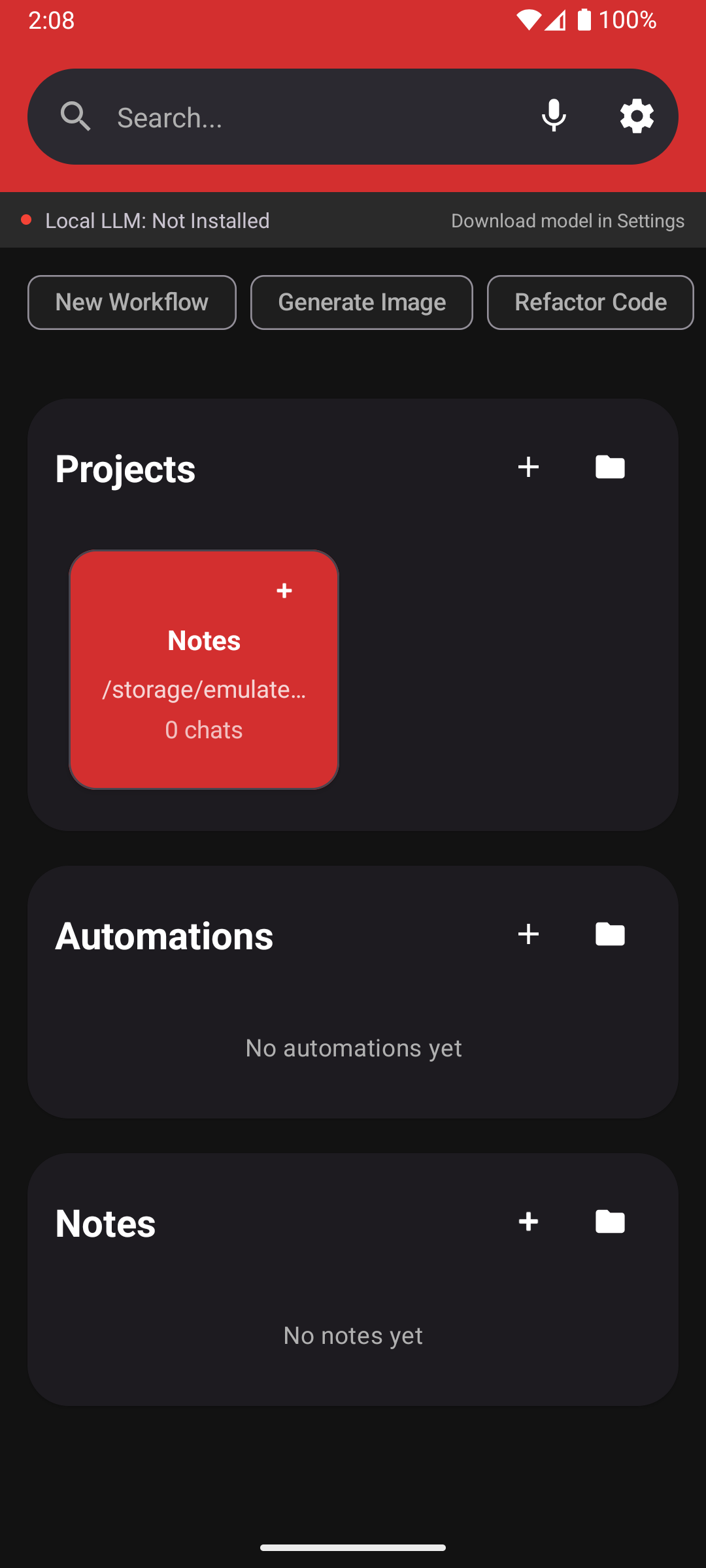
Shadow App Interface
🚗

Tow Truck Operators

"Flatbed pickup, 2019 Tesla, $275" - Log jobs, send ETAs, track mileage, and generate invoices by voice.

🔧

Field Technicians

"Replaced condenser, unit working, return Thursday" - Document repairs, order parts, schedule follow-ups.

🏠

Real Estate Agents

"Showed 123 Main to the Johnsons, follow up Friday" - Log showings, update CRM, manage appointments.

⚖️

Attorneys & Consultants

"Log 45 minutes research on Smith v. Jones" - Dictate notes, track billable time, draft emails while commuting.

Three steps to hands-free productivity

Set up once, use everywhere. Your business assistant is always a voice command away.

1

Connect Your Tools

Link to Google Sheets, QuickBooks, your CRM, or any system with an API. Or just use voice notes to start.

2

Speak Naturally

Just talk. "Customer John, dead battery, $150" — Shadow understands context and logs everything automatically.

3

Automate & Grow

AI learns your patterns and suggests automations. Send invoices, follow-ups, and reports without lifting a finger.

Configure your backend

Choose your power source. Connect via SSH, use Cloud APIs, or run completely offline.

ShadowBridge Quick Connect

Instantly connect to your PC via QR code or network discovery. No manual SSH setup required!

Download for Windows
  • 1. Download & run ShadowBridge on your Windows PC
  • 2. One-click install Claude Code, Codex, or Gemini CLI
  • 3. Scan QR code or use Quick Connect in Shadow app
  • Auto-configures SSH connection - you're ready to go!

SSH Remote Access

Connect to your dev machine to run CLI tools like Claude Code or Aider.

# 1. Generate a key pair on your PC

ssh-keygen -t ed25519 -C "shadow-ai"

# 2. Add public key to authorized_keys

cat ~/.ssh/id_ed25519.pub >> ~/.ssh/authorized_keys

# 3. Enter hostname & private key in App

Cloud APIs

Use powerful cloud models like GPT-5.1, Opus 4.5, or Gemini 3 Pro.

  • Get API Key from OpenAI, Anthropic, or Google
  • Open Shadow Settings > Backends
  • Paste Key & Select Model

Local On-Device

Run offline with DeepSeek-R1, Gemma 2, or Llama 3.2. Private and fast.

# 1. Open Settings > Backends > Local

# 2. Select a supported model to download:

  • • DeepSeek-R1 1.5B (Reasoning)
  • • Gemma 2 2B (Google)
  • • SmolLM2 1.7B (Fast)
  • • Qwen2.5 1.5B (Code/Math)

# 3. App handles download & setup automatically

Simple, transparent pricing

Unlimited messages on any backend. Pro unlocks advanced features.

Free

$0

Unlimited messages

For light users

  • All AI backends (SSH, API, Local)
  • Manage Projects & Notes
  • Automations
  • Voice control
  • Android TV support
Get Started

Pro

$20/mo

7-day free trial

Unlock all features

  • Everything in Free
  • Conversational Duo Mode
  • AI Teams
  • DevOps integrations
  • Android Auto support
  • Wear OS support
  • Audit Mode (AI decision logging)
  • Early access to new features
Start Free Trial

Download Shadow

Try the app now for your phone, car, TV, or smartwatch.
Your AI workspace goes wherever you go.